SSIS Deployment Webinar Followup

On April 3rd, I gave a webinar for Pragmatic Works Training on the Ts on the new SSIS Project Deployment Model introduced with SQL Server 2012. Be sure to check out the recording if you missed the session. If you would like a copy of my slides and code, it is here. Here are the top 5 questions from the session:

Q: How can you deploy just one package if there is a change?

A: In the project deployment model, you can only deploy the project, not individual packages.

Q: When you set up separate configurations within Visual Studio, what happens with those settings when you deploy the project?

A: When building the project, the ISPAC file will reflect the configuration chosen at the time. Under the BIN folder, you’ll find a folder with the configuration name. The default values from the chosen configuration will be seen when deploying from that ispac file.

Q: Does it make sense to have one set of environments for multiple projects?

A: Yes, it does make sense to do that. For example, your production servers will probably be the production servers for many projects. As I mentioned during the session, you will spend some time figuring out how to best use this model in your shop.

Q: Can some packages in a project be in the old model and some in the new model?

A: No, this is set at the project level. It is possible, however, that some of the packages will have parameters and some will not have parameters. This doesn’t mean that the packages without parameters are using the old package model.

Q: What do you do if someone else is supposed to deploy the project?

A: You would just send the ispac file. Everything that you need to deploy the project is in that file.


Posted in SSIS | Leave a comment

How to Play with SQL Server 2014

Despite the fact that April 1st is April Fool’s Day, Microsoft released the latest version of SQL Server, SQL Server 2014 that day. Looking back a couple of years, I see that they did the same thing with SQL Server 2012.

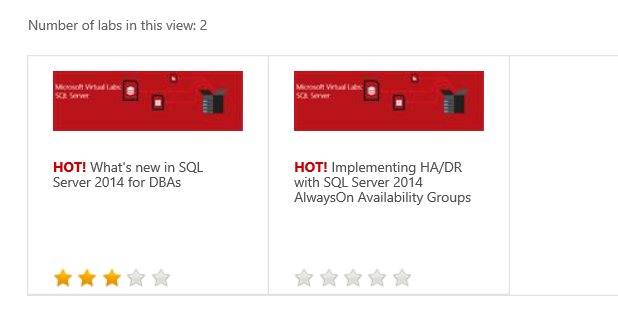
I suppose you would love to learn more about SQL Server 2014 but have a dozen excuses why you are not downloading the evaluation edition and installing it. Maybe you don’t have a server handy, or just would like to learn about the features without taking the time to install it. Have I got a deal for you! If you take a look at the TechNet Virtual Labs and filter for SQL Server 2014, you will see two labs.

technet

The cool thing about these labs is that they launch virtual machines that you can use to play with the technology. You can follow the provided lab…or not. Once you are done, the VMs are gone.

So, now you do not have an excuse, a technical one anyway, to avoid SQL Server 2014. By the way, there are also a number of 2012 labs available as well for learning even more about SQL Server. Have fun!


Posted in Life in IT | Leave a comment

What is a Windowing Function?

I have been presenting and writing about windowing functions for a couple of years. I am always surprised that many people who don’t know what these are may already be writing queries using them. Every time I present on this topic at a SQL Saturday, I get at least one evaluation comment saying that they thought the session would be about the Windows operating system, not T-SQL.

These functions, called window, windowed or windowing, are part of the ANSI SQL standards, not something proprietary to SQL Server or to Microsoft. One thing that windowing functions require is an OVER clause that defines the window or set of rows that the function will operate on. You’ll also find windowing functions in only two places in a query: the SELECT and OVER clauses.

There were two types of windowing functions introduced with SQL Server 2005: the ranking functions, ROW_NUMBER(), RANK, DENSE_RANK() and NTILE() and window aggregates. Almost everyone is using or at least familiar with ROW_NUMBER(), but not many people have heard about window aggregates.

Window aggregates allow you to add an aggregate expression to a query without making it an aggregate query. This makes writing some queries very simple. The unfortunate thing, however, is that this technique doesn’t perform as well as some older methods. Here is an example:


SELECT CustomerID, SalesOrderID, TotalDue,
     SUM(TotalDue) OVER(PARTITION BY CustomerID) CustTotal
FROM Sales.SalesOrderHeader;

WITH cust AS(
    SELECT CustomerID,SUM(TotalDue) AS CustTotal
    FROM Sales.SalesOrderHeader
    GROUP BY CustomerID)
SELECT cust.CustomerID,SalesOrderID,TotalDue,CustTotal
FROM Sales.SalesOrderHeader AS SOH
JOIN cust ON SOH.CustomerID=cust.CustomerID;


The first query adds the windowing aggregate expression SUM(TotalDue) OVER(PARTITION BY CustomerID). This provides a total for each unique CustomerID. The second query is one of the traditional ways to do the same thing. Inside the CTE (Common Table Expression) a query returns a list of the CustomerIDs with the total for each. It is then joined to the table in the outer query to provide the same results. If you take a look at the execution plan or STATISTICS IO, you will see that the second method actually performs better.

To get a total over the entire result set, use the empty parentheses like this: SUM(TotalDue) OVER().

So, while the window aggregate method is so simple, you need to use it with caution. Stay tuned for many more posts about windowing functions. I promise that for the most part, they improve performance.


Posted in T-SQL Window Functions | 1 Comment