SSRS 2016 Data Preview Feature

2016 has been a busy year for me. In addition to consulting for several customers. I have my two big volunteer jobs as a LaunchCode mentor and PASS virtual chapter co-leader.  And just ask my five grandkids, I am a fun grandmother as well.

Somehow, I found time to write a book about SSRS 2016 for Apress the first part of the year. Once that was done, I began creating a course for Pluralsight on SSRS 2016 Mobile Reports. I’ll update this page once the course is published

I’m happy that Microsoft has invested so much in SSRS in the 2016 release. It was way overdue, and I had wondered about the future of SSRS. Would it eventually be deprecated in a future version of SQL Server? SSRS 2016 is an exciting release with many new features like Mobile Reports, and reboots of existing features such as the new web portal that replaces Report Manager.

One of the features that took me by surprise is the ability to view data directly from a shared dataset. This feature is called Data Preview, and is available to anyone who has permission to view the dataset and the security at the data source works out. I’m not sure how often shared datasets have been used in previous versions of SSRS. They were not actually needed in many cases, and I generally recommended them for datasets that would be frequently reused such as common parameter lists. This advice will have to change with 2016, because shared datasets are required for the new KPI reports and Mobile Reports.  Stored credentials will be used in the data sources in many cases, because Kerberos delegation is not supported yet with Mobile Reports.

datapreview

My first thought, when I realized that data could be seen from the dataset, was to just remove permissions from report users who did not need administrative type rights, but that breaks the reports. Report users cannot run reports that use shared datasets unless they have permission to view the datasets.

What I recommend is to create multiple folders for datasets and locate them within the report folders. That way the report users will not see datasets unless they already have rights to run the reports. You can also create one datasets folder and apply permissions to each individual dataset. This seems unmanageable to me, so I don’t recommend it.

If you haven’t taken SQL Server 2016 for a test drive, be sure to check it out, especially the new Mobile Report feature. I am happy with how it has turned out, but the new data preview feature was quite a surprise.

I want to start 2017 out learning new things. I am going to concentrate on Azure and HDInsight at the beginning of the year. I don’t have any contracts signed for new books or courses at this point, but I suspect that will change soon.
Posted in Database Administration, Security, SSRS | Leave a comment

T-SQL Tuesday: New Speakers

This month, Andy Yun (@sqlbek) is hosting T-SQL Tuesday. This blog party was started several years ago by Adam Machanic (@AdamMachanic). This month’s topic is growing new speakers. Experienced speakers are asked to give advice to those who would like to become experienced speakers. Andy has also offered to help new speakers get started or connect new speakers to experienced speakers for assistance.

First of all, I want to mention that the PASS WIT virtual chapter will feature new speakers in January. We still have a couple of open spots, so, if you are a woman who would like to take advantage of this opportunity, please reach out to us by contacting witvc@sqlpass.org.

I would say that I am an experienced speaker. I have spoken at numerous SQL Saturdays, PASS Summit, user groups, and other events. Of course I was pretty scared at first, but eventually, I learned to love speaking in front of groups.

I often talk to people in the SQL community about getting started speaking. I hear one concern over and over, “What if someone asks a question, and I don’t know the answer?” Guess what, it is going to happen eventually, and it is not the end of the world. When you are speaking, you are there to share something you know, not prove that you are smarter than everyone else in the room. It’s OK to give your best answer, but admit you are not 100% sure or it’s something that you have not thought about before. Offer to follow up with the person after you have done some research. Often, I am asked about something I haven’t tried before. If there is time, I may experiment right then to find out, but this is not always a good idea. Going off script can lead you down some “rat holes” as I like to say.

The best way to prepare for the big day is to rehearse. Not only will this help you figure out what you are going to say, it can also help you smooth out your demos. I dread rehearsing. It just feels unnatural to me. To get around this, I will rehearse while recording the presentation. Somehow, this actually makes me feel like I am giving the presentation for real.

You may think that speaking is not for you. After all, you are a developer or DBA and maybe you don’t care about making a name for yourself in the community. I counter that communication skills are extremely important for your career. Whether you want to get your ideas heard in your team, get a promotion, or look for a better job, public speaking is going to help you!

Posted in Uncategorized | 1 Comment

2016 PASS Summit Report

Once again, I attended PASS Summit in beautiful Seattle, WA. This was my 13th Summit, starting with 2003 and missing only 2012 since then.

This year I spoke on Friday about indexing basics. I didn’t get the count, but I think there were around 200 people in attendance. This is such an important topic for the beginners out there, so I am glad that there was a pretty good turn out. I am not sure if it is a good thing or a bad thing, but I didn’t make it to any sessions except for my own. I did attend a really good pre-con given by Allan Hirt (@sqlha) on troubleshooting AG and FCI. Allan is the man when it comes to high availability.

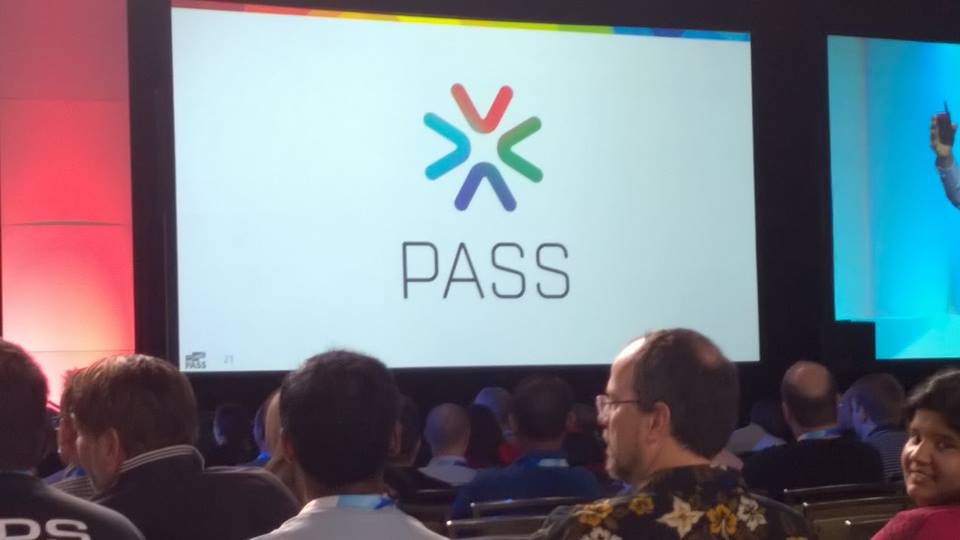
I also attended the keynotes and blogged live. The biggest news from Microsoft is the Azure Analysis Services. The biggest news from PASS is the new logo.

new-pass-logo

I feel honored to be chosen for the live blogging, but that also means I have to be at the conference center at 8 am on Wednesday and Thursday. Hmmmm, that makes me get back to the hotel a bit earlier than I might want to each night.

One of the biggest highlights of the week is the Women in Tech luncheon. This year we had Kelley Primus speak about leadership. She had great insights for both men and women, whether you want to be heard in your team or be the CIO. What a great session! You can catch the recording on Thursday’s videos. I even make an appearance on stage at the end.

I talked to sponsors and got my questions answered at the SQL Clinic. I met dozens of people and had some great conversations. At this point of going to Summit, the networking is the most important thing. Of course, I watch a bunch of sessions from the recordings later.

One of the biggest highlights of the week for me is karaoke with my friends. This year, we had some bad news. Our karaoke hang out, Bush Garden, is probably not going to be here next year. I’m not sure I can picture PASS Summit without it. To learn more about SQL Karaoke, check out Jason Strate’s site.

bush-garden

It was a wonderful week, and I am already looking forward to meeting up with data professionals from around the world in Seattle next year.

Posted in Uncategorized | Leave a comment